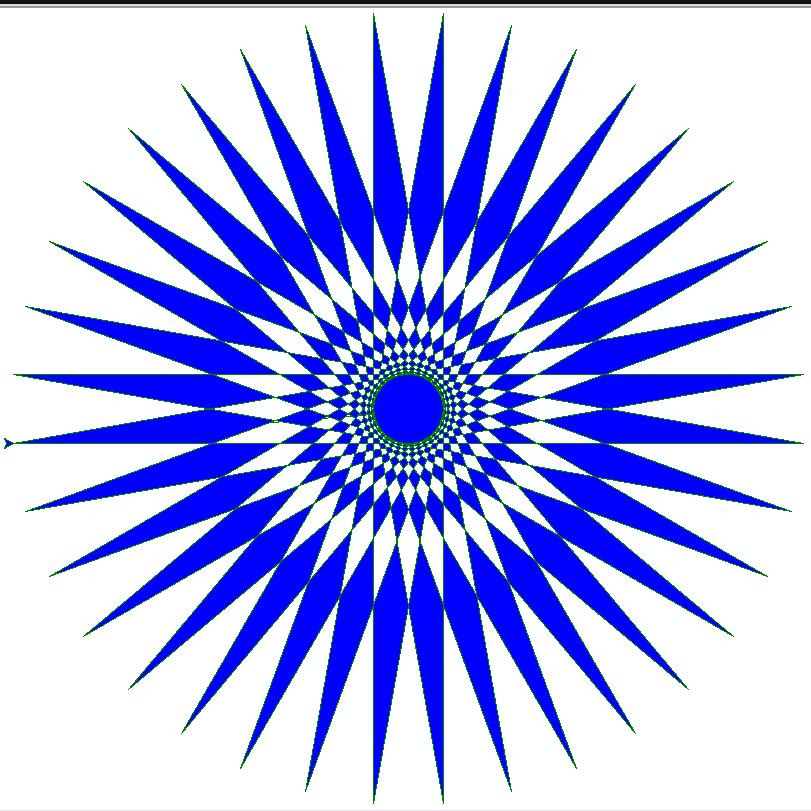
A very simple Turtle program. Turtle can draw intricate shapes using programs that repeat simple moves.
Turtle graphics is a popular way for introducing programming to kids. It was part of the original Logo programming language developed by Wally Feurzig and Seymour Papert in 1966.
Imagine a robotic turtle starting at (0, 0) in the x-y plane. After an import turtle, give it the command turtle.forward(15), and it moves (on-screen!) 15 pixels in the direction it is facing, drawing a line as it moves. Give it the command turtle.right(25), and it rotates in-place 25 degrees clockwise.
- color() sets pencolor and fillcolor.
- speed() sets the turtle’s speed to an integer value in the range 0..10
- setpos() moves turtle to an absolute position. If the pen is down, draw line.
- begin_fill() is called just before drawing a shape to be filled.
- forward() moves the turtle forward by the specified distance, in the direction the turtle is headed.
- left() turns turtle left by angle units.
- end_fill() fills the shape drawn after the last call to begin_fill().
#   Turtle Star
#   Adapted from https://docs.python.org/3/library/turtle.html
#   Turtle can draw intricate shapes using programs that repeat simple moves.

from turtle import *
size=790
color('green', 'blue')
speed('fastest')
setpos(-size/2,-32)
start=pos()             # Note starting position
begin_fill()
while True:
    forward(size)
    left (170)
    if abs(pos()-start) < 1:    # have we come back to start?
        break
end_fill()
done()
Further Information
[welcomewikilite wikiurl=”http://en.wikipedia.org/wiki/Turtle_graphics” sections=”Short description” settings=””]
